
Choose the immigration task before creating a HiKorea account. Check the current filing channel, identity requirements and deadline for your status. Account creation, an appointment booking and an immigration application are different steps; the dated service descriptions below are a starting point for checking your own case.
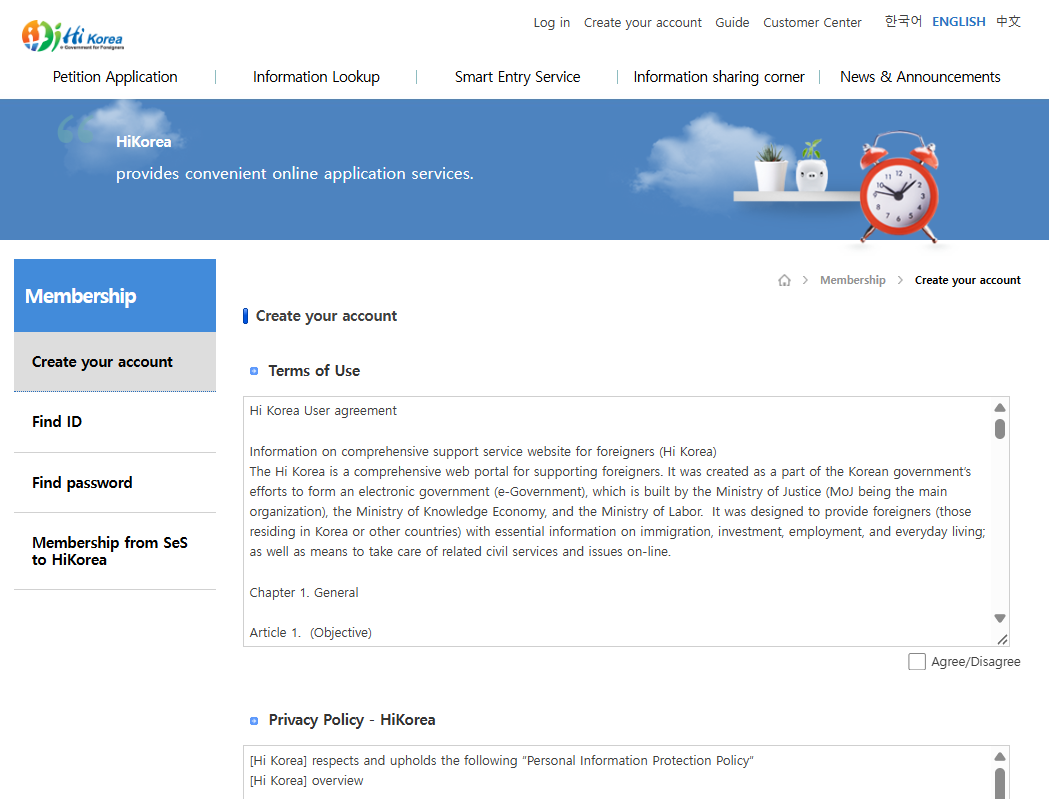
Prepare the task before creating an account
- Name the application or appointment. Write down the service you need, your current status and the relevant deadline. Ask the 1345 Immigration Contact Center about the correct channel if those are unclear.
- Check the current instructions. Confirm whether your particular task uses online filing, an office visit or another route, and which identity-check options appear. A member account alone does not establish eligibility.
- Prepare your own details. Have your passport, residence-card details if issued, an accessible email address and the required documents ready. Follow the field labels rather than swapping name order to pass an error.
- Use a non-member option only if offered. If the current reservation flow presents it and accepts your details, keep the retrieval information. If it does not work, ask for the appropriate route instead of using another person’s identity.
- Keep the result of the actual task. Save the reservation confirmation or application receipt, as appropriate, and check its status. Do not treat an account-creation message or a calendar booking as proof that an immigration application has been received.
Preparation notes and public reservation identity fields checked 14 October 2026. The service-channel descriptions retain their earlier check dates. Account creation, login and completed identity or petition submission were not tested in this update.
HiKorea provides online immigration services and office appointments. Some tasks require an account; others can be started without one. First residence registration still requires an office visit. Check the service you need before trying to sign up.
What HiKorea will not do for you
HiKorea publishes a table marking every immigration service as available for electronic filing, for visit reservation, or both. Read against that table, the limits are specific rather than vague.
Foreign resident registration is marked visit-only. Your first registration (the application that produces the card) cannot be filed electronically. Neither can the overseas Korean domestic residence report. Checked 2026-08-27.
Residence card reissue is visit-only too. Lost your card, and that is a counter appointment, not a form.
So are: activity outside status permit, grant of status, change of status for short-term stayers, certificate for visa issuance, and most nationality reports.
That is the shape of the site. HiKorea is strong at the things you do after you are registered, and largely absent for the thing you need first.
What it does well
The electronic filings that are available cover most of a normal residency, and one line from HiKorea’s guide removes any reason to prefer a counter when the online route exists: a petition granted online has the same effect as one granted by visiting an office.
- Extension of stay: registered foreign nationals, F-4 residence report holders, short-term stayers, and extensions filed by a school officer for students
- Change of status for registered foreign nationals
- Change of residence report after you move
- Registered particulars change after a passport renewal
- Multiple re-entry permit
- Part-time work permit and employer change for D-2 and D-4-1
- Workplace change for E-9
- Extension for departure
Some services require a Korean joint certificate to submit. And once a petition is approved, HiKorea instructs you to print and keep the permit confirmation from the electronic petition status screen; nothing arrives in the post.
You may not need an account at all
This is the part that saves the most time and is almost never mentioned.
If the current visit-reservation flow offers non-member application, follow the identity route presented for your circumstances. The input fields in the table below were checked against the official public page; confirm that your chosen route accepts your own details before relying on it.
| Route | What you enter | Limitation |
|---|---|---|
| ID card verification | Residence card or domestic residence report number, plus the issue date as eight digits | Needs a card already issued |
| Passport verification | Passport number, nationality and date of birth | Confirm that this route fits your circumstances |
| Visa number verification | Visa number, name and date of birth | Confirm that this route fits your circumstances |
If you book as a non-member, keep the retrieval information supplied by the system. Follow the current booking-lookup instructions, and contact 1345 if you cannot retrieve or manage the reservation.
Two details that break the verification screen
Older residence cards have no field labeled “issue date.” HiKorea states that the date printed at the top of the card is the issue date. People fail this screen repeatedly without knowing that, because they are looking for a label that is not printed.
A-3 status holders serving as active-duty military are instructed to enter their DoD ID if the passport number keeps failing to match.
If you intend to book before traveling, check the current identity options and whether the route fits your circumstances. Ask 1345 if the form or instructions don’t resolve your case; the listed input fields alone don’t establish that a check will succeed.
Get your name right before you type it anywhere
For a registered foreign national, the public member identity form (Korean may appear) asks for the residence-card number and name in the order shown on the card. Follow that form’s instructions for spaces, long names and connecting hyphens; do not apply another provider’s format automatically. Creating or editing a member account does not itself create or correct your official immigration registration. Public form guidance checked 14 October 2026; account completion was not tested.
If a name error appears, identify which verification step rejected it before changing another record. The name verification guide explains the separate checks and where to ask for a correction.
The tools that do not need a login
Several HiKorea services are open lookups. These are worth bookmarking before you need them.
- Competent immigration office lookup (Korean may appear): jurisdiction follows your registered address, not the nearest office. Applying at the wrong one gets you turned away.
- Period of stay expiry lookup (Korean may appear): the date the system holds, which is the one that penalties attach to.
- Residence card validity check (Korean may appear): the check landlords, employers and banks run.
- Non-member reservation lookup (Korean may appear)
Rules you agree to before the calendar opens
HiKorea’s reservation notice carries three conditions that decide whether your visit produces a result.
A reservation is a date, not a filing. HiKorea states that a visit reservation is a booking of a date at the office and is not the receipt of a civil petition. A confirmed slot after your deadline protects nothing.
Book before your deadline, and if you cannot, attend anyway. Visiting after your period of stay expires or after a statutory reporting deadline can result in a penalty or fine. Where no bookable date exists before that deadline, HiKorea’s published instruction is to go to your competent office in person before it passes.
Booking with someone else’s identity is a criminal matter. Using another foreign national’s passport or residence card number to secure a slot may be punished under the Personal Information Protection Act and the Criminal Act’s provision on forgery of electromagnetic records, with up to five years’ imprisonment or a fine of up to 50 million KRW. The Ministry of Justice states it inspects applicants’ IP addresses regularly and intends to refer cases to investigative authorities. Checked 2026-08-27.
If anyone offers to obtain a HiKorea slot for you using details you did not supply, that is the conduct described.
One thing to carry to the office
If you have paid overdue national health insurance premiums within the last five days, at a utility payment machine or through internet giro, HiKorea instructs you to bring the receipt. Payment records take time to propagate, and an officer may still see arrears you have cleared. Enrollment rules are in the health insurance guide.
The English problem
HiKorea offers Korean, English and Chinese. In practice, deeper pages and some service flows hand you back Korean, and translations lag the Korean originals.
The practical approach is to run the Korean page through translation rather than hunting for an English equivalent that may not exist; the Korean page is the current one. The essential apps guide covers which translation tools work best on Korean government pages.
When a page defeats you, 1345 inside Korea or +82-1345 from abroad (also listed as +82-2-1345) is the escalation, with a fax civil petition line on 1577-1346.
Frequently asked questions
Can I apply for my first residence card on HiKorea online?
No. Foreign resident registration is marked visit-only, so your first application needs an office visit. HiKorea can be used to book the visit reservation. Residence card reissue is also visit-only.
Can I book a HiKorea appointment without an account?
Look for a non-member option in the current reservation flow and check whether its identity route fits your circumstances. If offered and accepted, keep the retrieval details. If the option is unavailable or the check fails, ask 1345 about the correct route.
Where is the issue date on an old Korean residence card?
Older residence cards have no field labeled “issue date.” HiKorea states that the date printed at the top of the card is the issue date.
When account creation stops, record what actually failed
Write down the page or step, the exact error text and the result you expected. Keep this privately. You do not need to post a passport image or full residence-card number in a group chat to explain a failed signup.
| Record you have | What to check next |
|---|---|
| Account-created or email message | Whether you can access the account and still need to start the immigration task |
| Identity-check error | Which verification method and record the screen is checking |
| Reservation confirmation | Office, date and the instructions for attending |
| Application receipt | How to check the application result and provide any requested follow-up |
Use the table to describe the problem, not to infer that a task is available online. Ask about the current channel for the specific service. The official 1345 contact page provides the Immigration Contact Center’s contact route and explains its multilingual counseling service.
If you replace a phone or cannot access an old email account, use the current recovery or support route shown by the service. Don’t create a new identity or borrow someone else’s account to make the error disappear. Ask which account and identity record should be used for your case.
Keep the signup problem and any immigration deadline on the same note. If a deadline is close, tell the responsible office or counselor about it when asking for the filing route. A troubleshooting session is not a submitted application.
Planning section added October 26, 2026. The official contact route was checked; no automated HiKorea request, login, identity verification or application was performed. This addition does not reverify the older service-channel table or promise that a particular recovery method is available.
Related guides
- Korea’s Money Offices: Tax, Pension, Unpaid Wages
- Extend Your Stay in Korea Online via HiKorea
- Hosting Visitors in Korea: Visas, K-ETA & Arrival
Sources
- HiKorea, Electronic civil petition guide: service table by channel, equivalence of online permits (Korean may appear)
- HiKorea, Visit reservation notice: deadline rule, penalties, health insurance receipt (Korean may appear)
- HiKorea, Identity verification screens: three routes, issue-date note, DoD ID note (Korean may appear)
- HiKorea: site user guide (Korean may appear)
- HiKorea: main portal (Korean may appear)
Last verified: 2026-08-27 06:11 KST. HiKorea’s service list and screens change without English-language announcement. The pages linked above are the authority; where your case differs, 1345 is.