Your First 30 Days in Korea: The Week-by-Week Plan (2026)

A week-by-week plan for your first 30 days in Korea: SIM and T-money on day one, the HiKorea appointment in week two, then banking, apps and real life.

A week-by-week plan for your first 30 days in Korea: SIM and T-money on day one, the HiKorea appointment in week two, then banking, apps and real life.
Last verified: 2026-08-27 07:30 KST This guide reads HiKorea’s own table to show whether your particular task can be filed online, and what happens if it cannot. HiKorea states that a petition granted online has the same effect as one granted at an office. It is general information, not legal advice, so confirm your own … Read more
Last verified: 2026-08-27 07:01 KST Empty taxis in Korea often drive past you because hailing has moved into apps, and many are already assigned to a call. An app is now the default because you type your destination, a taxi stand needs zero setup, and street hailing is now the least reliable. This guide also … Read more
When a friend or relative visits, their passport sorts them into one of three groups: visa-free and K-ETA exempt, visa-free but K-ETA required, or visa required. Visitors who are required to make an arrival declaration can file the free e-Arrival Card starting three days before arrival (KST). Exemptions include valid K-ETA and Korean Residence Card … Read more
Last verified: 2026-08-27 06:11 KST Korea splits entry and immigration services across separate websites that share nothing, not even your login. Before you arrive, use visa.go.kr for visas and k-eta.go.kr for travel authorisation, and after you arrive, use hikorea.go.kr. The official sites also warn about copies, and this guide is general information, not legal advice. … Read more

Last verified: 2026-08-27 06:11 KST HiKorea is strong for tasks after you are registered, but your first residence card application cannot be filed online and needs an office visit. Residence card reissue is visit-only too. This guide checks HiKorea’s own service table to show what the site can and cannot do, and how to use … Read more
Last verified: 2026-08-27 07:35 KST When a Korean site rejects your name, the problem is usually the record, not your typing. Identity verification matches your name, date of birth and mobile number against the records held by immigration and your carrier. A line in someone else’s name fails even if the phone works, and a … Read more

Last verified: 2026-08-27 05:47 KST Seoul Station subway platform (2018), shown for illustration; faces are blurred in the source image. Check your actual route and pass coverage. Photo: Seoul-metro-426-Seoul-station-platform-20181122-172938.jpg by LERK, Wikimedia Commons; CC BY-SA 4.0. Resized and converted to WebP; no crop. This image remains under the same license. Seoul’s 30-day prepaid Climate Card … Read more
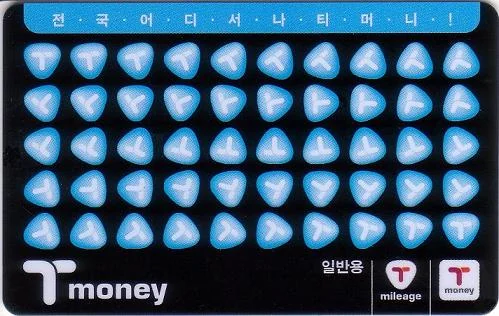
Last verified: 2026-08-27 05:32 KST. Selective refund and Apple Wallet review: 2026-10-07. An archived T-money card design (2010); designs sold today vary. Photo: T-money card.jpg by zisk, Wikimedia Commons; Public domain. Converted to WebP without enlargement. A T-money card is stored electronic money, not a ticket. The card price is not refundable, and getting your … Read more

Last verified: 2026-08-27 00:15 KST Featured photo: Using a smartphone in Seoul, 18 May 2017. Photo: chelsom tsai / Wikimedia Commons, CC BY 2.0 (resized; no crop). Installing Korean apps is easy, but four separate checks can stop you: the app store region, a Korean number that receives SMS, Korean identity verification, and a Korea-issued … Read more