

Last updated: July 2026
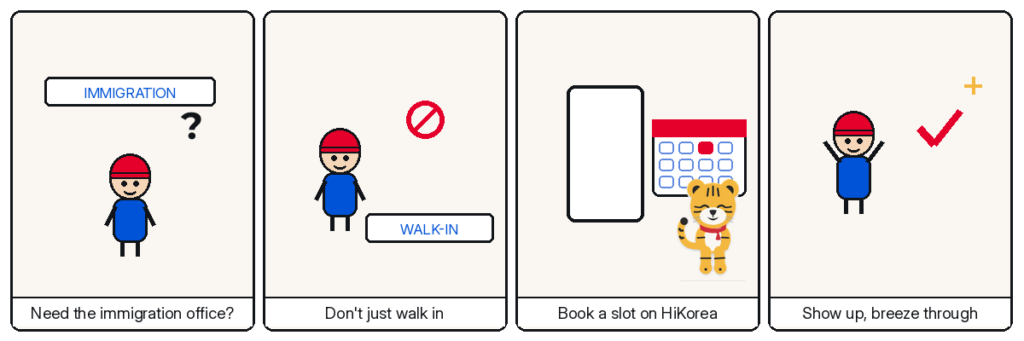
Almost every visit to a Korean immigration office now starts online. HiKorea — the Ministry of Justice’s portal for foreigners — runs a reservation-first system, and offices routinely turn away walk-ins. Here’s exactly how to book your slot, including the trick for booking before you even arrive in Korea.
TL;DR
- Reservations are made at hikorea.go.kr — free, in English
- Book under your own name: as of 2026, the applicant books personally (schools/agencies can help you, not replace you)
- Peak seasons (March, September): slots can be gone 2–3 weeks out — book early
- No ARC yet? Use passport-number or visa-number verification as a non-member
- Bring your reservation number (or QR) on the day
Free download
First 90 Days in Korea — The Checklist
Your appointment is one step in a longer sequence. The checklist covers the whole first stretch — from landing day to full registration — on three printable pages.
Download the checklist (free PDF)3 pages · print-friendly · no email required
Before You Start
Use Chrome or Edge — older browsers aren’t supported. You can create a HiKorea account (useful long-term, since e-applications like visa extensions run through it), but a full account isn’t required just to book: non-member booking works with identity verification.
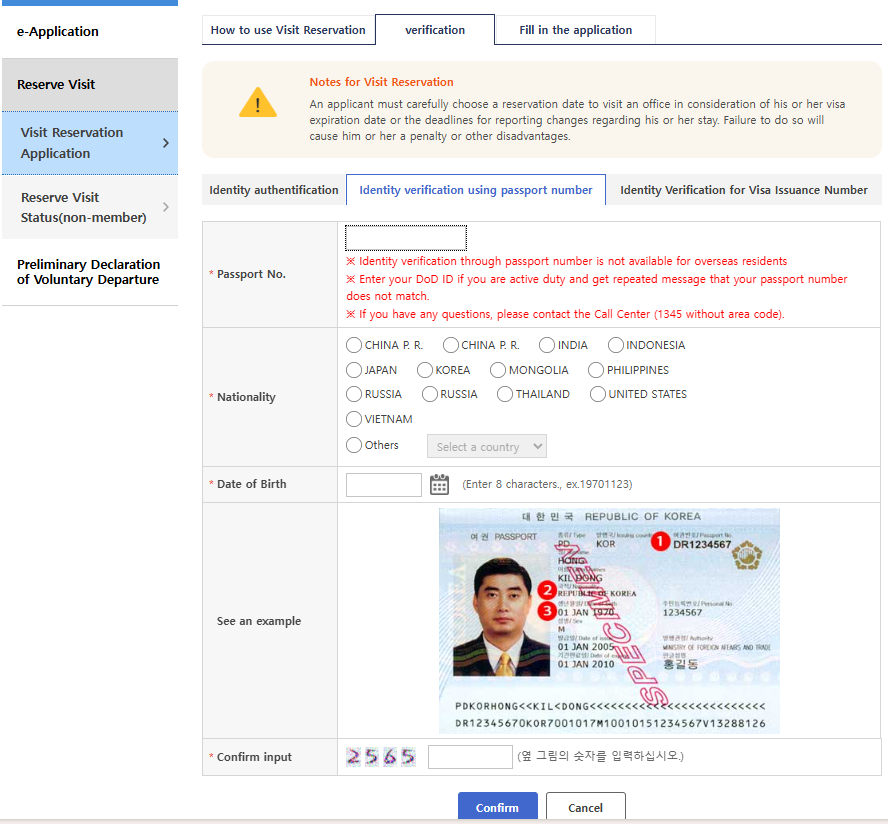
Two non-member verification routes matter:
- Passport number — for most people already in Korea
- Visa number — if you were granted a visa abroad, your visa grant notice lets you book a foreigner-registration appointment before you land. This is the single best time-saving move for new arrivals, because good slots go fast.
[SCREENSHOT: non-member verification screen]
Step 1 — Open the Reservation Menu
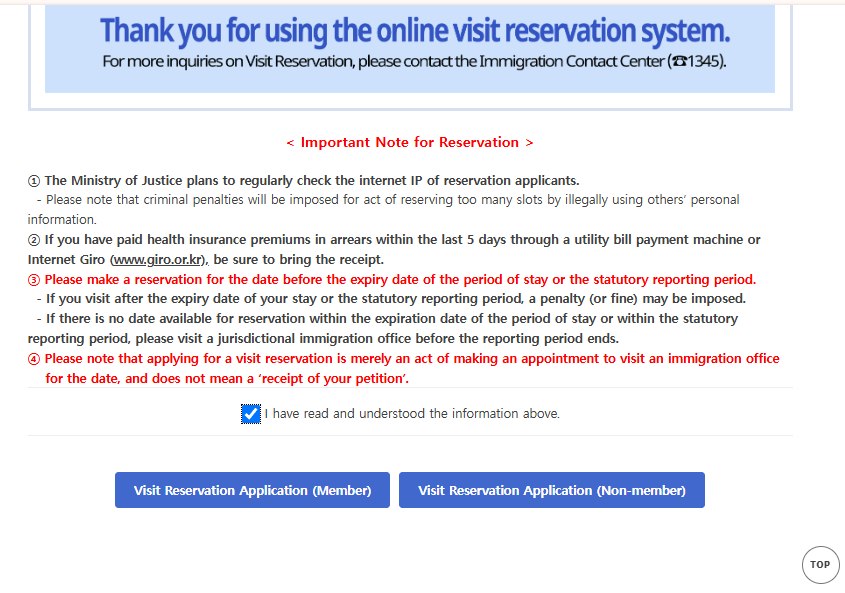
Go to https://www.hikorea.go.kr → Visit Reservation (on mobile, it’s in the bottom menu). Choose member login or non-member application.
Step 2 — Verify Your Identity
Enter your name exactly as printed in your passport, in the same order. Mismatched or reordered names are one of the most common reasons applications stall later.
Step 3 — Choose the Right Office (Jurisdiction Matters)
Select the immigration office that covers your residential address — not the one closest to work or the most convenient station. Applying at the wrong office can get you refused at the counter. Not sure which office covers you? Call 1345 (multilingual immigration helpline) before booking.
Step 4 — Select Your Task(s)
Pick the service you need — foreigner registration, extension of stay, change of status, ARC reissue, and so on. You can select multiple tasks for one visit, which saves you a second appointment. (Extensions are legally accepted from four months before your permit expires — but the HiKorea calendar itself opens much later. In practice, slots appear only a few weeks out, so start checking around 45 days before expiry, not four months. Some visa types — E-9, H-2, E-7 and others — have their own shorter windows; confirm yours on HiKorea or by calling 1345.)
Step 5 — Pick a Date and Confirm
Choose date and time, enter your phone number (optional if you don’t have one yet) and a 4-digit password, then submit. You’ll get a reservation number — screenshot it and save the confirmation email. Members can review bookings under “My Reservations”; non-members retrieve them with the reservation number + password.
Changing or canceling: possible through the same menu, generally up to a day or two before your visit — check the exact cutoff shown on your confirmation, and don’t no-show (repeated no-shows can restrict future booking).
On the Day
- Arrive 15–20 minutes early; big offices are crowded and finding your counter takes time
- Bring: passport, reservation number/QR (phone screen is fine), completed application form, photo, supporting documents, and fee — the full document list is in our ARC Residence Card guide
- Keep every receipt they hand you — it’s your proof of application
When No Slots Are Available
This is the situation that panics people: your permit expires soon and the calendar shows nothing.
Three things are worth knowing.
Not everything needs an appointment. Certificates — proof of entry and exit, proof of foreigner registration — can be issued online or at a community centre without booking an immigration slot. Many people queue for something they never needed to queue for.
Some tasks can be done online. Depending on your visa type, extension of stay can be filed as an e-application on HiKorea without any visit at all. Check the electronic civil affairs menu before assuming you need a counter.
Call 1345 if the deadline is close. If your stay expires before the first available slot, say so on the phone. Offices have discretion, and immigration would rather process you than create an overstay case. Do not simply wait and hope — an expired permit becomes a fine and a mark on your record.
One warning. Paid “appointment brokers” and slots booked under someone else’s passport number circulate online. HiKorea states plainly that booking with another person’s identity details can lead to criminal charges. It is not worth it.
Common Problems
“Every slot is full.” New dates open on a rolling basis (bookings start from the next day), so check late at night or early morning; try other offices within your jurisdiction; and if your legal stay is about to expire, call 1345 immediately rather than waiting for a slot.
“Can my school or agency book for me?” As of 2026, the reservation should be made under the applicant’s own identity. Staff can sit next to you and guide every click — they just can’t replace you.
“No Korean phone number yet.” Booking still works — the number field can be skipped; print or screenshot the confirmation instead.
FAQ
Is booking free?
Yes. You only pay fees for the actual service at the office.
Can I book before arriving in Korea?
Yes, with visa-number verification as a non-member — do this the moment your visa is granted.
What if I miss my appointment?
Rebook as soon as possible; your 90-day registration deadline doesn’t pause. Avoid no-shows.
Can I handle everything online instead?
Some services (e.g., certain extensions, address changes) can be done as e-applications on HiKorea without visiting — but first-time foreigner registration requires an in-person visit for fingerprints.
Where do I download application forms?
HiKorea → News/Notice → Application Forms. Filling them at home saves 20 minutes at the office.
Official Resources
- HiKorea (reservations, forms, e-applications): https://www.hikorea.go.kr
- Immigration Contact Center: 1345 (English and other languages)
- More settlement guides: Browse all guides