
Last updated: October 21, 2026: editorial wording and formatting updated; facts not rechecked in full. First edition: October 19, 2026 (kiosk payment checks and Korean phrases).
Facts last checked: October 19, 2026: the cited Toss Place, Visa and Revolut payment-support guidance; individual restaurants and terminals were not tested.
Originally published: October 19, 2026: first publication.
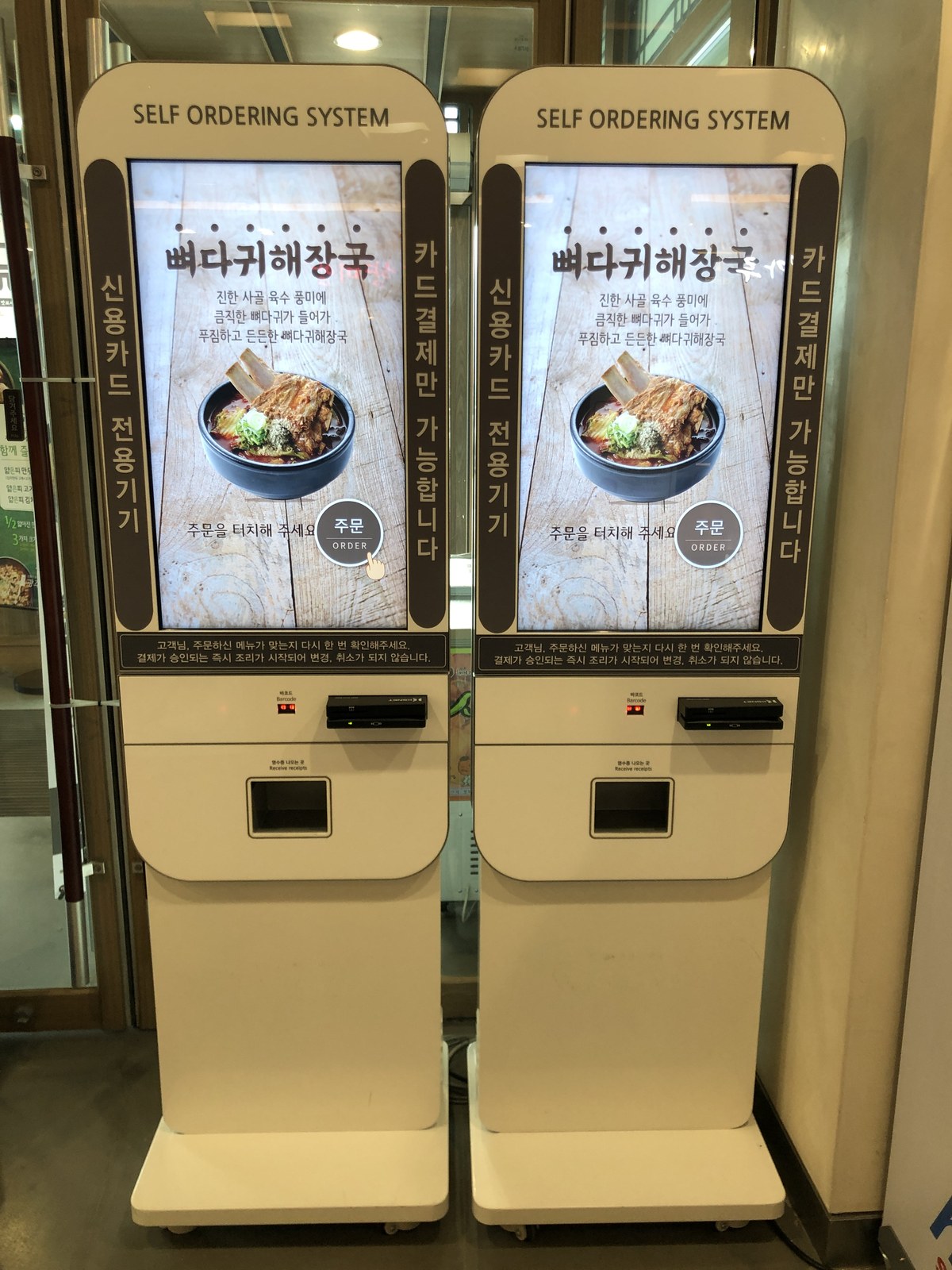
If your overseas-issued card fails at a restaurant kiosk in Korea, ask a staff member to check the payment and order before you try again. If nothing went through, ask whether you can pay at the counter with your physical card or cash.
You can show this sentence on your phone:
해외 카드인데 결제가 안 돼요. 카운터에서 결제할 수 있을까요?
“This is an overseas-issued card, and the payment is not going through. Could I pay at the counter?”
A card that fails at one kiosk may still work elsewhere in Korea. The cause may be the card, reader, restaurant’s payment setup, or connection between its payment and ordering systems.
First, check whether the order already exists
Before starting the order again, look for an order number, a receipt, or a payment-complete message. If the screen has reset or frozen, ask staff to check their order and payment records.
주문이 들어갔는지 확인해 주세요.
“Please check whether my order went through.”
If your banking app shows a transaction but you have no order confirmation, show staff the amount and time. Keep unrelated account information out of view. A missing receipt is not enough to decide that payment failed: Toss Place’s merchant guidance specifically covers cases where a card authorization exists but the payment does not appear in the point-of-sale system. Toss Place payment troubleshooting (Korean)
Agree with staff on what happens to the first attempt before making another payment. If they cancel it, ask for the cancellation receipt or reference and keep it with the receipt for the successful purchase.
If payment failed, ask about the counter
Tell the staff member that the card was issued overseas. Ask whether their counter terminal supports it. The restaurant may have no separate terminal, or that terminal may not support your card.
Toss Place’s integration documentation says support for overseas cards can depend on the terminal, payment-processing provider (VAN), and merchant settings. These conditions apply to Toss Place’s integration. Ask the restaurant what its own setup supports. Toss Place integration FAQ (Korean)
If you were tapping a phone or card, ask whether you should insert the physical card instead. Follow the reader’s instructions and let staff identify the correct reader. A phone-payment logo does not mean every card in your wallet is supported.
Before paying at the counter, confirm the dishes, quantities, eat-in or takeaway choice, and total. Ask staff whether they can retrieve your kiosk order or need to enter it again. This helps avoid paying for a second copy of the same meal.
Useful Korean words on the screen
The wording and layout vary by machine. These terms can help you explain where you got stuck:
- 매장 or 매장 식사: eat in.
- 포장: takeaway.
- 카드 결제: card payment.
- 결제 실패: payment failed.
- 승인 거절: authorization declined.
- 주문번호: order number.
- 영수증: receipt.
- 취소: cancel.
A cancel button may refer to the current screen or order. It does not necessarily mean a card payment has been reversed. Ask staff to check the payment record separately.
Choose another payment method the restaurant accepts
If the staff confirm the first payment failed, ask whether you can use another card you already carry. Check acceptance before trying a card from a different issuer or network.
Cash is another option to confirm with staff:
현금으로 결제할 수 있나요?
“Can I pay in cash?”
Do not feed banknotes into a machine unless it clearly accepts them. If cash is accepted only at the counter, have staff confirm the order there. For future meals, carry some Korean won as a backup alongside your physical card, rather than relying entirely on a phone wallet.
If no available method works, ask staff whether the order has been placed or food preparation has started before deciding to leave. If you have already eaten, explain the problem and agree on a payment solution with the restaurant.
When to contact your card issuer
Check the failed transaction in your bank’s official app, if it appears there. If the app identifies a card lock, spending limit, or another restriction, follow your issuer’s instructions. For a specific decline reason, contact the issuer through its app or the number on your card. Visa notes that it does not have access to cardholder accounts; those are handled by the banks that issue its cards. Visa consumer support
A missing transaction in the app does not tell you whether the payment failed. Revolut, for example, says a declined payment may not appear in its app because of restrictions set by the merchant or technical issues on the merchant’s side. Ask the restaurant to check its records before submitting the order again. Revolut’s declined-payment guidance
Do not share your card PIN, banking password, or one-time security codes with restaurant staff or anyone offering to fix the payment. Enter a PIN yourself only when the legitimate payment terminal requires it.
If the banking app shows a pending charge
A pending transaction is not the same as a completed charge or a completed restaurant order. Revolut describes it as an authorized payment that has not yet been fully processed; the amount may be temporarily unavailable. Your own issuer’s status labels and release timing may differ. Revolut’s explanation of pending payments
Keep the restaurant name, payment time, amount, receipts, and any cancellation confirmation. Check the transaction again using your issuer’s guidance. If two payments become completed charges for the same purchase, contact the restaurant to request a correction and your issuer if it remains unresolved. You cannot count on a pending amount disappearing on a fixed timetable.
If the terminal offers a currency choice
Choosing a currency won’t fix an unsupported card. However, if payment proceeds and the terminal offers Korean won or your home currency, select Korean won (KRW) if you want to decline the merchant’s currency conversion. Visa’s travel guidance notes that paying in the local currency could save you money. Your issuer’s own exchange rate and applicable fees still matter. Visa’s guidance on paying abroad
A sentence to save before your next meal
결제가 된 건지 먼저 확인해 주세요. 안 됐으면 다른 방법으로 결제할게요.
“Please check whether the payment went through first. If it did not, I’ll pay another way.”
Sources checked: 19 October 2026. This guide concerns in-person restaurant payments. Individual kiosk interfaces, merchant arrangements, and card-issuer procedures vary.
Related guide: Eating alone in Korea.